Waitlist Email Templates: The 5 Emails From Signup to Launch
Copy-paste templates for the five emails a waitlist actually needs: the instant confirmation, two warmup updates, launch day, and the last-call follow-up that usually brings a third of the sales.
Posted by
 Rouzbeh
Related reading
Giving a Support Chatbot Tools, Not Just Documents
A bot that answers from your docs is a weekend. A bot that can read and change a customer's own account is a different problem, and almost none of it is the AI part.
Answering Support When You Are the Whole Company
Support is the highest-quality research channel a small product has, and the fastest way to burn out if you treat it as an obligation. How to answer, what to automate, and how to say no.
The Pricing Page: What to Put On It, and What to Leave Off
Picking the number is one problem, presenting it is another. Plan names, the free tier decision, trials and card-up-front, annual billing, and the things founders add that quietly cost them customers.
Most waitlists die of silence. Somebody hands over their email, hears nothing for eight weeks, and by the time the launch email lands they have forgotten what they signed up for. The list is technically still there. It is just cold.
Five emails fix that, and they are all short. Below is each one, when to send it, and the full copy to steal. Swap the product for yours and they work as written.
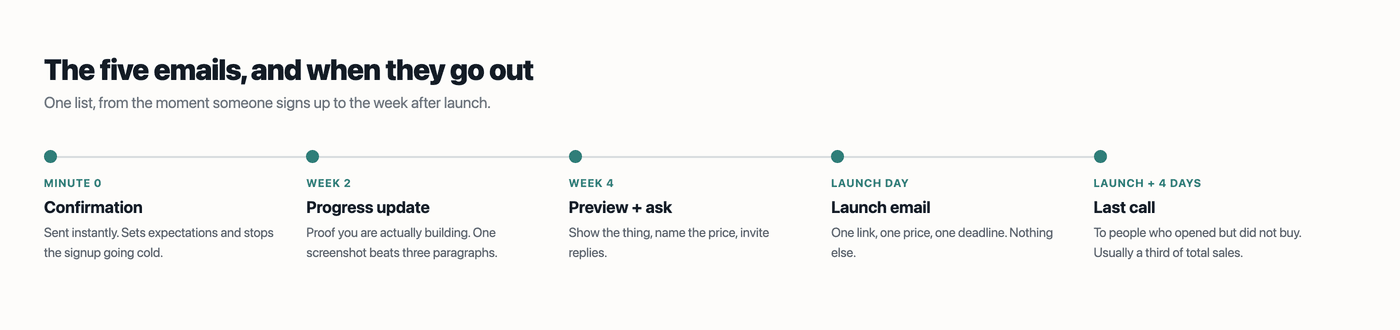
Table of contents
1. The confirmation (minute 0)
The highest-attention moment you will ever get from a signup is the ten seconds after they hit the button. Most waitlists spend it on “thanks, we'll be in touch”.
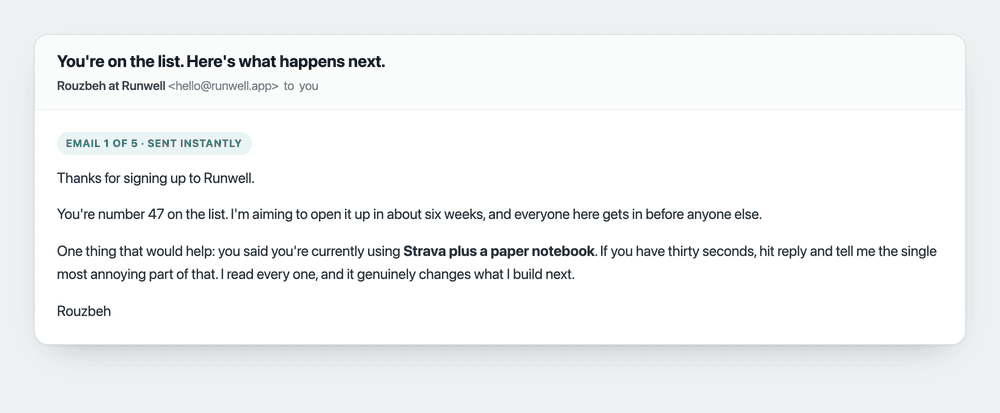
Subject: You're on the list. Here's what happens next.
Thanks for signing up to [product].

You're number [N] on the list. I'm aiming to open it up in
about [timeframe], and everyone here gets in before anyone else.

One thing that would help: you said you're currently using
[their survey answer]. If you have thirty seconds, hit reply
and tell me the single most annoying part of that. I read
every one, and it genuinely changes what I build next.

[your name]
Three things are doing work here. The position number makes it feel like a real queue. The timeframe sets an expectation, so silence later reads as normal rather than abandonment. And quoting their own survey answer back at them is what turns a broadcast into something that reads like a person wrote it.
The reply ask matters more than it looks. Replies teach the inbox providers that your address is one people talk to, which helps every email after this one land.
2. The progress update (week 2)
One job: prove you are actually building. A screenshot does this better than three paragraphs.
Subject: [product]: the first real screen
Quick update, two weeks in.

[One screenshot of the least-broken thing you have built.]

That's [what it does in one sentence]. It's rough, but it
works end to end, which two weeks ago it did not.

Next up is [the single next thing], mostly because a few
of you replied saying [the pattern you heard].

More soon.
[your name]
“A few of you replied saying” is the important line. It proves the replies to email one went somewhere, which makes the replies to this one more likely. Do not invent it. If nobody replied, say what you decided and why instead.
3. The preview and ask (week 4)
This is the email founders skip, and skipping it is why launch day converts badly. It does two things: shows the product properly, and names the price for the first time.
Subject: Want early access to [product]?
[product] is close enough that I want a few people in it
before launch.

[Two or three screenshots, or a 30-second screen recording.]

It'll be $[price] a month when it launches in [timeframe].

If you want in early, hit reply with "in" and I'll send you
a link this week. No charge for early access, I just want to
watch a few people use it and hear what breaks.

[your name]
Naming the price here is the whole point. If launch day is the first time anyone hears a number, the launch email has to do two jobs at once: announce the product and justify the cost. Splitting those across two emails converts far better, and the people who quietly unsubscribe when they see the price were never going to buy.
4. The launch email (launch day)
One link, one price, one deadline. The most common mistake is cramming in a feature list.
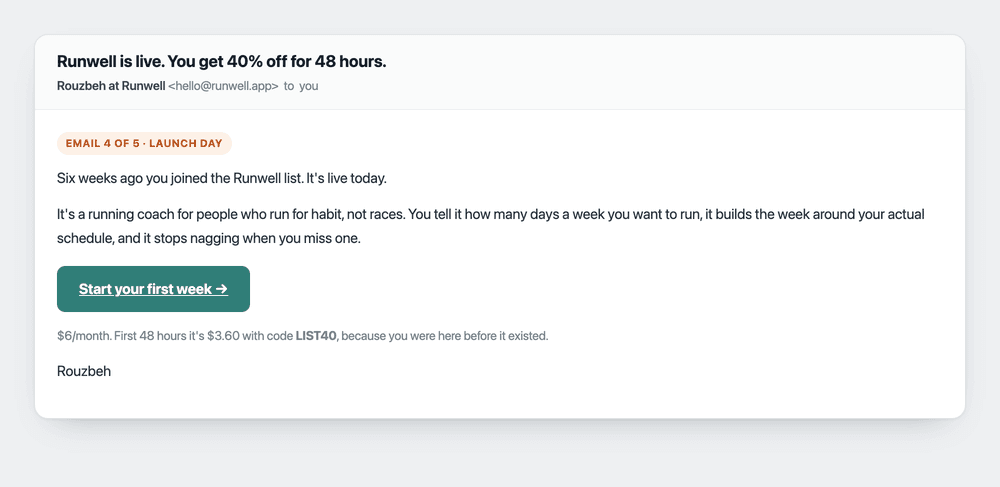
Subject: [product] is live. You get [X]% off for 48 hours.
[Timeframe] ago you joined the [product] list. It's live today.

It's [one sentence: what it does, for whom]. [One more
sentence on the single thing it does best.]

[Start / Get it / Try it] -> [link]

$[price]/month. First 48 hours it's $[discount] with code
[CODE], because you were here before it existed.

[your name]
The deadline is what makes it convert. Without one the email gets filed under “later”, and later never arrives. Forty-eight hours is long enough to be fair and short enough to be real. If you say 48 hours, honour it, or the next launch email you send will be ignored.
There is a longer piece on just this email if you want the deeper version: how to write your first launch email.
5. The last call (launch + 4 days)
Send this only to people who opened the launch email and did not buy. In most launches it brings in roughly a third of total sales, and almost nobody sends it.
Subject: Closing the launch discount tonight
The [X]% launch code expires tonight, so this is the last
time I'll mention it.

Since Monday, [N] people have started using [product]. The
thing they keep mentioning is [the one thing, in their words].

[Get it before tonight] -> [link]

If it's not for you, no problem at all. You'll hear from me
maybe once a month from here.

[your name]
The last line is doing quiet work. Telling people the firehose is over reduces unsubscribes on the emails that follow, and it is true, so it costs nothing to say.
Four rules that apply to all five
- Send from a person, not a brand. “Rouzbeh at Runwell” outperforms “The Runwell Team”, and a one-person company claiming to be a team fools nobody.
- Plain text beats a designed template. At this size you are a person emailing people. A three-column HTML newsletter with a hero image looks like marketing, and marketing gets archived.
- One call to action per email. Two links is a choice, and a choice at the end of an email usually resolves to neither.
- Segment by survey answer where you can. The same launch email, opening with the reader's own stated problem, is a different email. This is the entire reason to ask a question on the signup form.
That last one is what Lighthouse is built around: survey questions live on the signup form, so every address arrives with the context you need to write email one properly. You can set up a waitlist free in about two minutes and send all five from the same place.
Frequently asked questions
How often should I email a waitlist?
Roughly every two weeks before launch. Weekly is fine if you genuinely have something to show. The failure mode is almost never too many, it is going quiet for two months and then asking for money.
What if I have nothing to report?
Send a shorter email. “Slower month than I wanted, here is the one thing that works now, launch is still [date]” keeps the list warm and costs you two minutes. Founders who go silent because progress was unimpressive are optimising for their own comfort.
Should I offer a launch discount?
For a first product, yes. It gives the launch email a reason to exist beyond the announcement, and it rewards the people who joined on nothing but a promise. Keep it modest and time-boxed so it does not reset what people think the product is worth.
Do I need a proper email tool for five emails?
You need something that handles unsubscribes and does not put you in spam, which rules out sending to 200 addresses from Gmail. Beyond that, at this size the tool matters far less than whether you actually send.
What open rate should I expect?
A warm waitlist of a few hundred usually opens at 40 to 60 percent, well above typical marketing email, because they asked to be there and it comes from a person. If you are far below that, the usual culprits are a long gap since the last email or a subject line written like an ad.