How to build a waitlist.
Four decisions and one link. This is the whole process, the part most people get wrong, and six real examples you can copy. No account needed to follow along.
Create a waitlist in seconds
The four decisions, in the order you make them.
Name the product and write one sentence
Two to four words for the name, then a single sentence naming the audience and the pain. Solution category, who it is for, what hurts. If it takes two sentences the pitch is not ready, and the fastest way to fix that is to publish a rough one and watch which words the first ten signups repeat back.
Set a signup goal of 100
Not 1,000, not 50. One hundred is small enough to feel reachable and large enough to signal real demand. The number becomes a public counter, which turns every signup into a visible reason for the next person to share the link.
Put one survey question on the signup form
This is the step that separates a waitlist from a mailing list, and it is the one almost everyone skips. One question, asked at the moment intent is highest. The answers arrive attached to the email address, so you launch to people you know something about.
Publish and share the link
Post it with the one-sentence pitch and a screenshot of the page. If the first ten visitors do not sign up, the headline or the audience is wrong, and you have learned that in a day instead of after three months of building.
Waitlist landing pages built in under 2 minutes
The page itself has five parts and no more. A visitor has about thirty seconds of attention and one decision to make, so anything extra competes with the signup button.
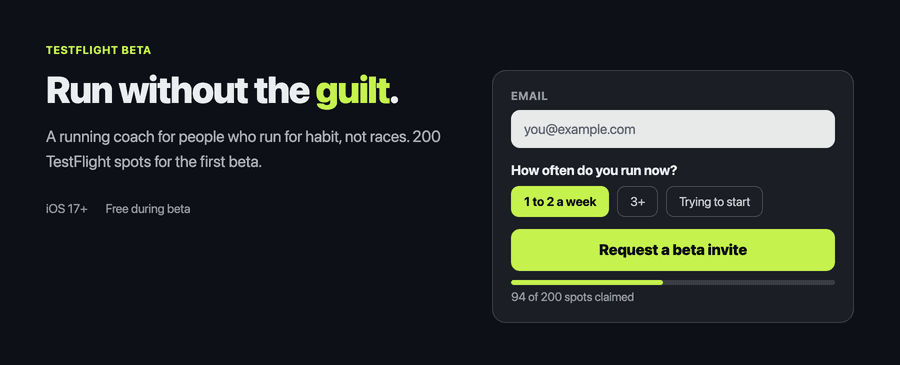
- A headline naming the audience, not the product. “A running coach for people who run for habit, not races” beats “Introducing Runwell”.
- One sentence covering the pain and the outcome.
- An email field plus one or two survey questions, on the same form.
- A visible goal counter, even when the number is embarrassing. Hidden progress converts worse than low progress.
- A share block, so a happy signup can send a friend without leaving the page.
Skip the custom domain until you have signups. DNS is a two-hour detour that adds nothing to the first ten.
How to build a waitlist that turns into customers
Most waitlists fail at launch for the same three reasons, and all three are fixable before you write any product code.
- Ask on the form, not later. A signup with no answer is a stranger. One question captures intent while it is fresh, and it is the difference between a launch email everyone gets and a launch email written for the reader.
- Email the list before launch day. Two updates between signup and launch. Open rates on those predict launch conversion almost perfectly, and eight weeks of silence turns a warm list cold.
- Name the price before launch day. If the launch email is the first time anyone hears a number, it has to announce the product and justify the cost at once. Split those across two emails and it converts far better.
The single highest-value question to ask is “what are you using today to solve this?” The answers name your real competitors in the exact words your customers use, which is landing page copy you did not have to write.
Six waitlist page examples
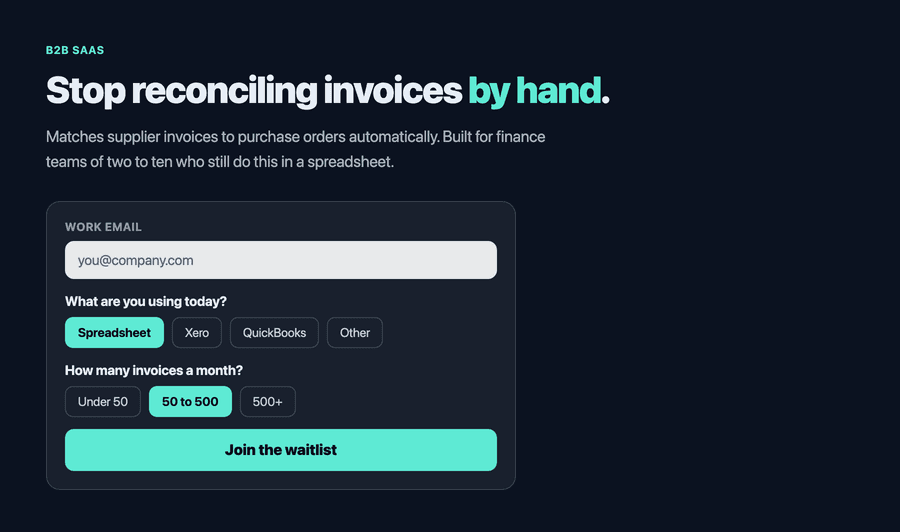
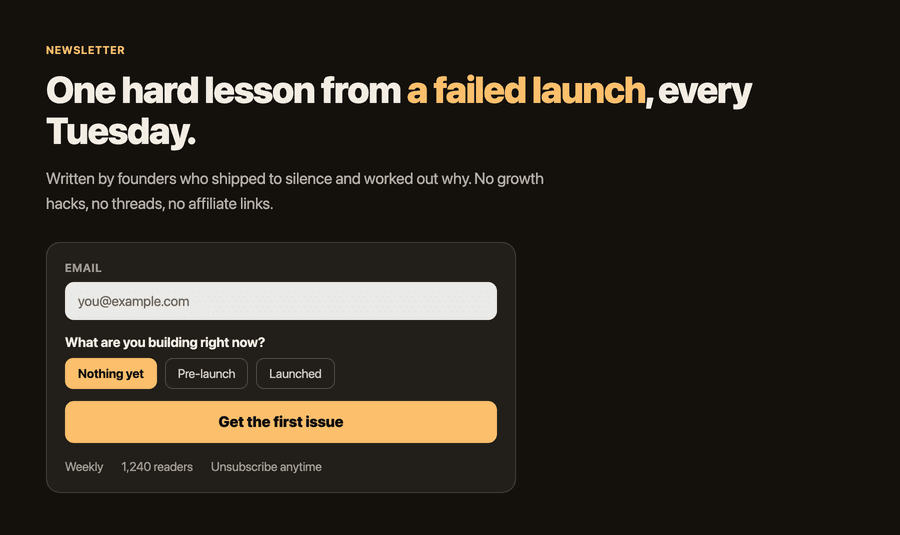
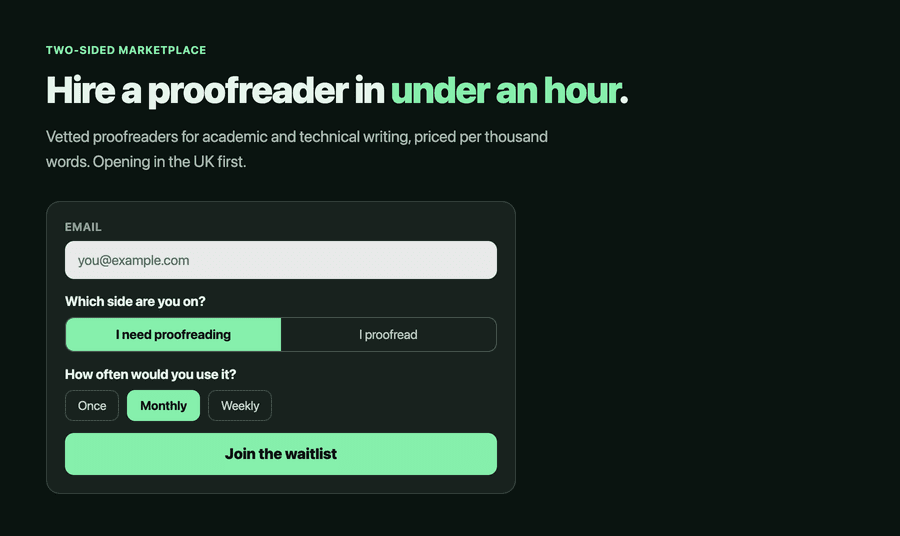
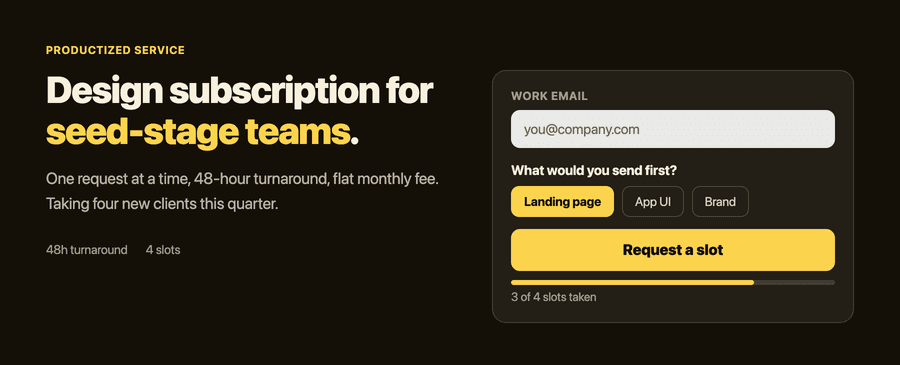
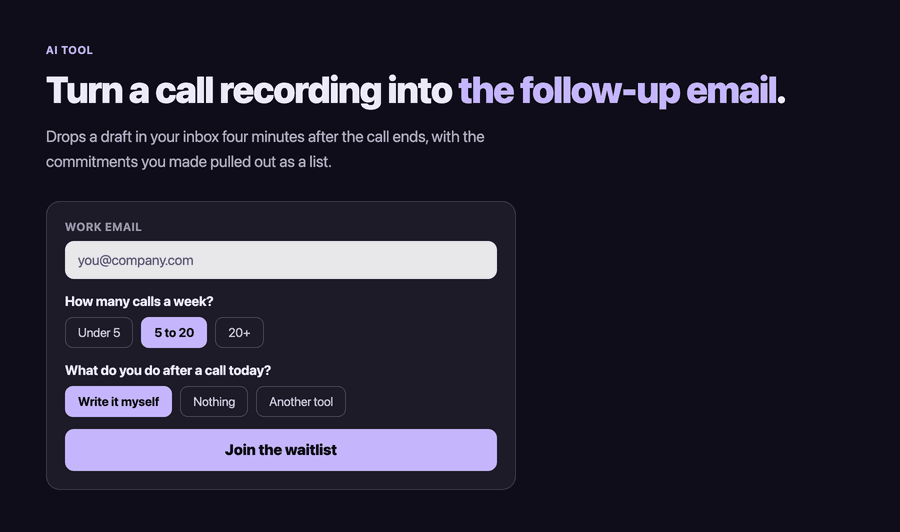
Different niches, same structure. Note the survey question on each one, and how specific it is to what that founder needs to learn.
Common questions
How do I build a waitlist?
Four decisions and one link: a product name, a one-sentence pitch naming the audience and their pain, a signup goal of around 100, and one survey question on the signup form. A no-code tool turns those into a public URL in about two minutes. Share the link, and treat the first ten signups as your answer on whether the pitch works.
How long does it take to build a waitlist landing page?
Under two minutes if you already know the pitch, and three or four if you are writing it as you go. Anything longer usually means you are editing the pitch rather than building the page, which is better done after real signups tell you which words landed.
What makes a waitlist turn into customers instead of just emails?
Asking a question on the signup form, and emailing the list before launch day. An email address on its own tells you somebody was curious once. An email with a survey answer tells you what they use today and what they would pay, which is what lets you segment the launch email and write to people in their own words.
How many people should be on a waitlist before launching?
There is no threshold that makes a launch safe, but 100 engaged signups with survey answers beats 1,000 addresses collected from a viral loop. Watch reply rate on your warmup emails rather than list size: it predicts launch conversion far better.
Do I need a custom domain for a waitlist?
No, and setting one up first is a common way to lose an afternoon. Ship on the tool's subdomain, get the first signups, and add DNS later once the idea has proven itself.
Is it free to create a waitlist?
You can create one on Lighthouse with no account and no card. The free preview gives you a live public URL, accepts up to 25 signups, and stays up for 7 days, which is enough to find out whether the idea has legs.
Building for iOS specifically? There is a longer walkthrough on building a waitlist for your app, and on what to put on the landing page.
Create your free waitlist.
Name, one-sentence pitch, a signup goal, and any survey questions you want. You get a live public URL to share straight away. No account, no card.
Lighthouse keeps the preview live for 7 days and up to 25 signups, free.